Open-Sourced Modern Portfolio (you are on it)
A modern portfolio website ecosystem with a public-facing site and a private content management system.

A modern, bilingual portfolio website ecosystem with a public-facing site and a private content management system. Built with Next.js 16, TypeScript, Firebase, and Tailwind CSS 4. This project serves as a living proof of concept for "Agentic-First" and AI-Native engineering, demonstrating how rapid execution (48 hours from zero to production) can be achieved with modern tools and AI workflows.
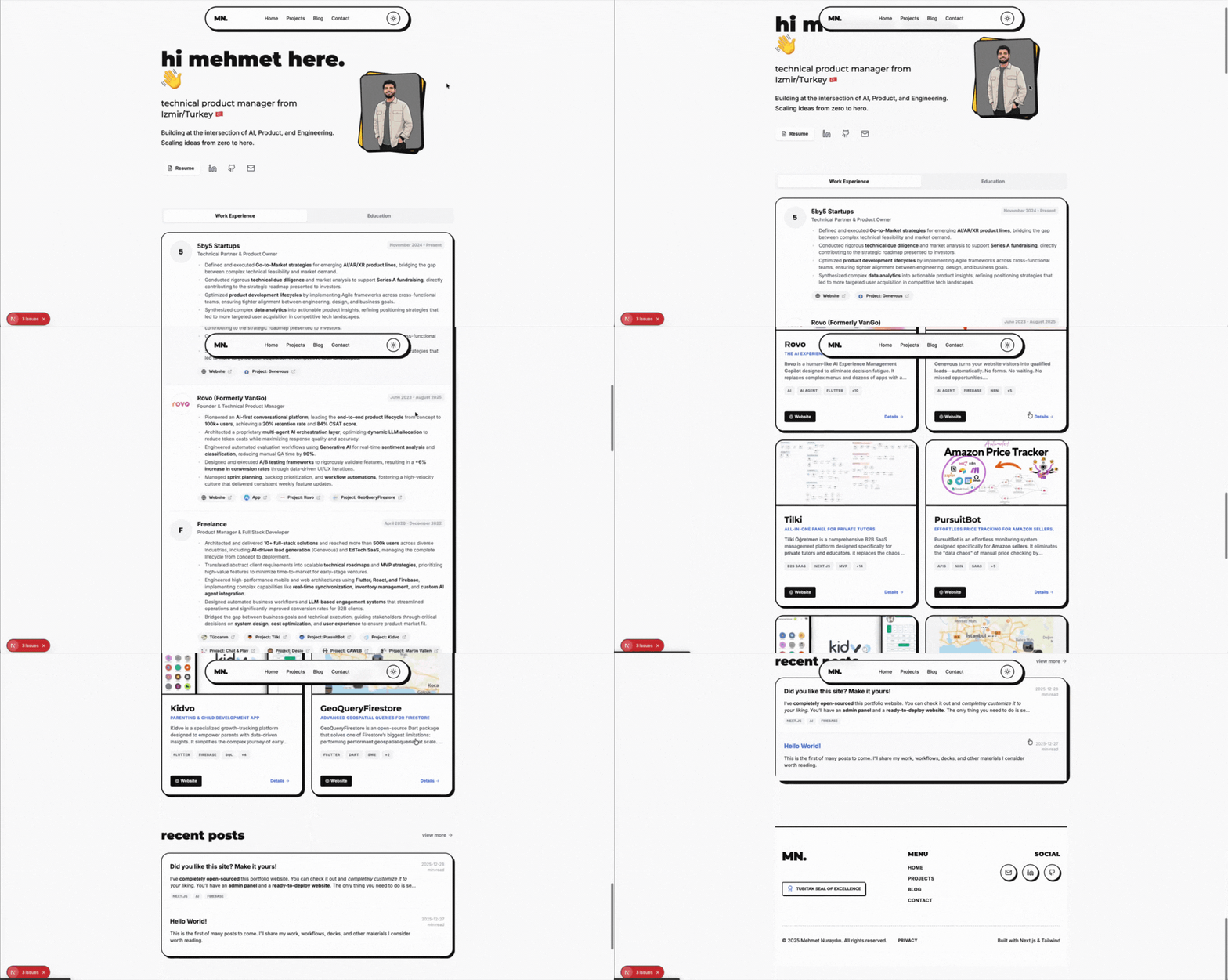
🎯 Project Philosophy
I designed this portfolio to be more than just a static site. It demonstrates:
- Technical Product Management: Clean architecture, scalable systems, and a focus on maintainability.
- AI Integration: A structure prepared for future agentic workflows and built with AI assistance.
- Global Reach: First-class bilingual support (Turkish/English) with
next-intl. - Polished Authenticity: A design system that is bold, playful, and minimalist.
🏗️ Architecture
The project is structured as a Monorepo using npm workspaces.
Core Stack
- Framework: Next.js 16 (App Router)
- Language: TypeScript
- Styling: Tailwind CSS 4
- Database: Firebase Firestore
- Storage: Firebase Storage
Applications
1. Public Website (apps/website)
The public-facing portfolio.
- i18n: Middleware-based routing with
next-intl. - Content: Markdown-based blog with
react-markdown. - Theming: Dark/Light mode support.
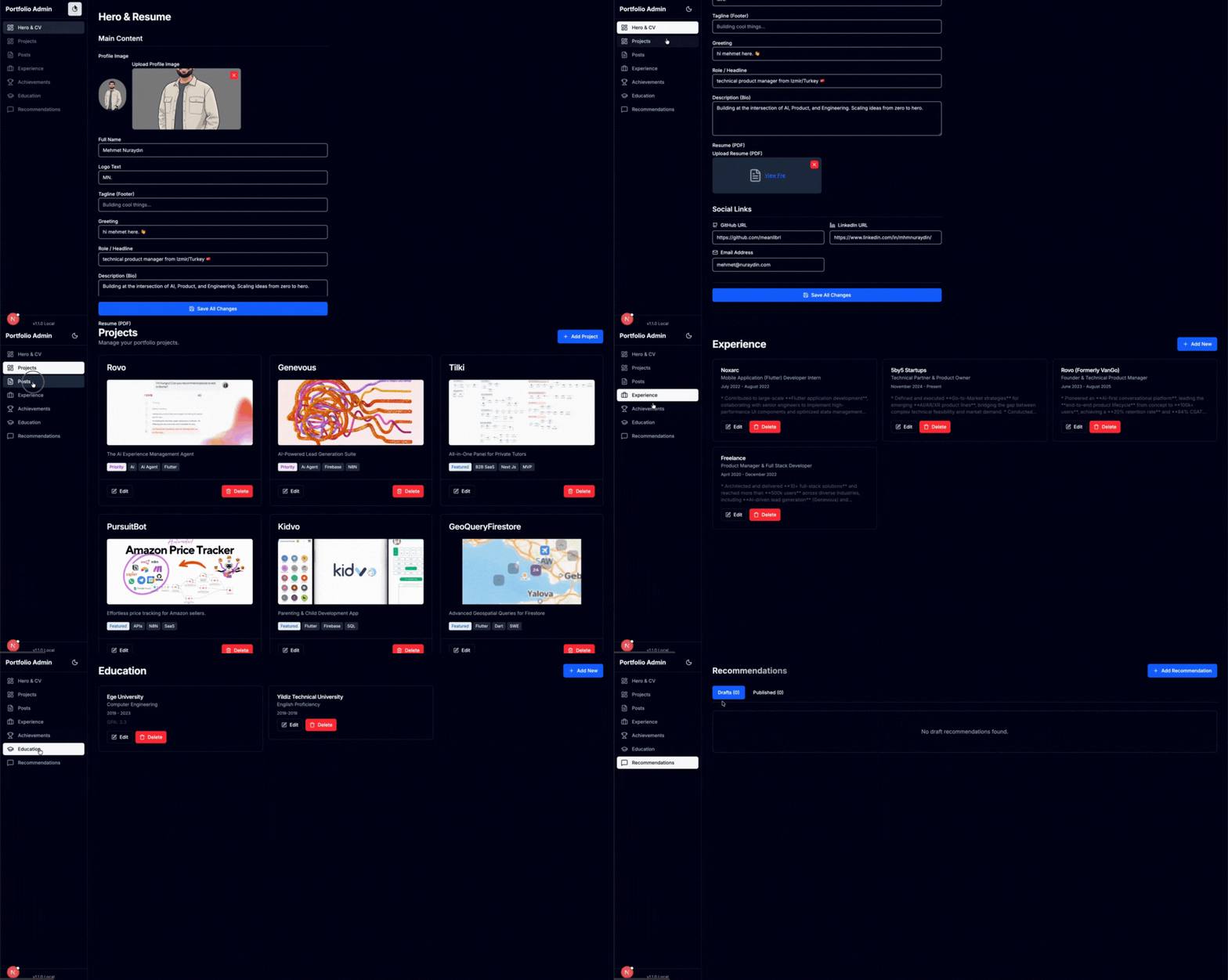
2. Admin Panel (apps/admin)
A secure, private CMS to manage content.
- Forms:
react-hook-form+zodvalidation. - UI:
shadcn/ui(Radix Primitives). - Interactivity:
@dnd-kitfor drag-and-drop reordering. - Security:
firebase-adminfor server-side privileged access.
📊 Data Structures & Model
The data model is designed to support rich cross-linking between projects, experiences, and blog posts. Below is the high-level class diagram of the data entities.
For the full schema and TypeScript interfaces, see DATA_STRUCTURES.md.
📚 Documentation & Resources
Detailed documentation for the project's internals:
- Data Structures: Firestore collections, document schemas, and TypeScript interfaces.
- Style Guide: Design system, color palettes, and UI component standards.
- Product Requirements (PRD): Strategic vision and requirements.
🤖 Upcoming: LLM Rules & Workflow
I am preparing to share the exact System Instructions and Rules I used to build this project in 2 days. This won't just be a prompt dump; it will be a comprehensive guide on:
- Context Loading Protocol: How to ensure the AI "knows" your project structure before writing a single line of code.
- Memory Management: Strategies for keeping the AI's context window clean and focused on the active task.
- Agentic Role Switching: How to make the AI switch hats (e.g., from "Product Manager" to "Frontend Architect" to "QA Engineer").
Establishing these rules is critical. Just like you need a linter for your code, you need a "Context Linter" for your AI interactions. Stay tuned for the release!
🚀 Getting Started
-
Clone the Repository:
git clone https://github.com/meanllbrl/portfolio.git cd portfolio npm install -
Environment Setup:
- Create a project at Firebase Console.
- Website: Copy
apps/website/env.exampleto.env.localand add your Firebase Config. - Admin: Copy
apps/admin/env.exampleto.env.local, add Firebase Config, and your Admin Service Account Key.
-
Run Locally:
npm run dev:website # Starts website on localhost:3000
npm run dev:admin   # Starts admin on localhost:3001
🔒 Security
- Firestore Rules: Reads are public for content; writes are locked down.
- Admin SDK: The Admin app uses a server-side Service Account to bypass rules for content management.
- Safety: Admin keys are never exposed to the client.
📄 License
This project is open-source under the MIT License.
